






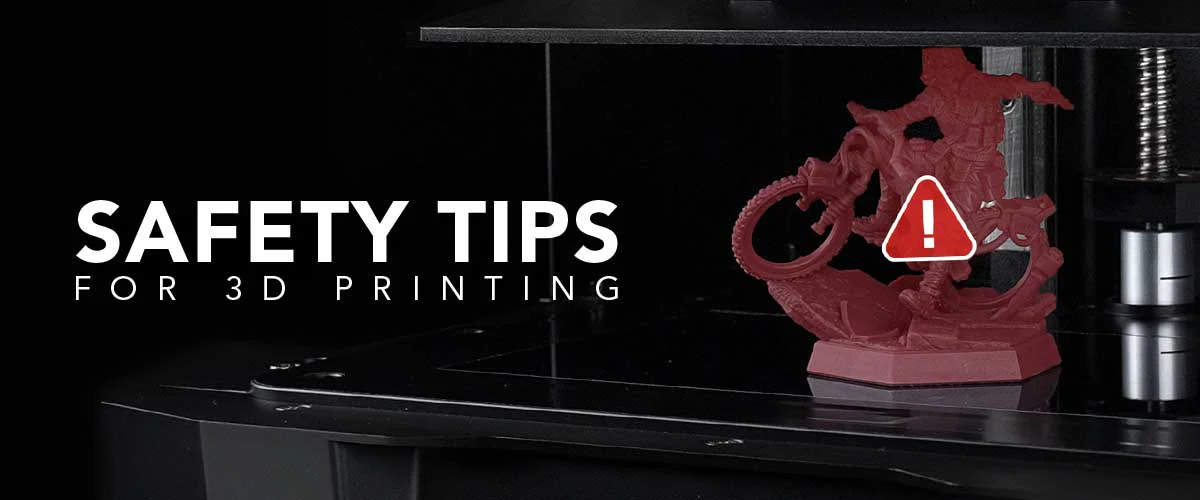
In this post we share this fantastic safety guide on FDM and Resin 3D Printing by Phrozen. If you are new to 3D Printing, this guide is an absolute must read!
Safety guides are not traditionally known for being the most interesting of topics, but thankfully Limaonen Longkumer at Phrozen has done an excellent job to clearly and concisely cover some of the most important safety considerations. Enjoy 🙂
Are you worried about the safety risks of 3D printing? From fire hazards to toxic fumes, this guide covers everything you need to know about 3D printer safety. Learn the best practices to ensure a safe and successful printing experience, whether you’re using FDM or resin printers.
You might have seen headlines about fires, toxic fumes, or even mechanical injuries caused by these fascinating machines. The good news? Most of these issues can be easily avoided with the right precautions.
In this guide, we’re going to dive into everything you need to know to keep your 3D printing experience safe and enjoyable. We’ll address common questions like, “Are 3D printers safe?” and “What are the hazards of 3D printing?”
By the end, you’ll have a clear understanding of how to protect yourself, your workspace, and your equipment.
Let’s face it: 3D printing is awesome. But like any technology, it comes with its own set of risks. From potential fires to exposure to toxic fumes, 3D printing hazards can’t be ignored. But don’t worry—we’ve got you covered.
Here are the main risks you need to be aware of:
Understanding these risks is the first step in making 3D printing a safe hobby or profession.
Let’s get into some 3D printer safety basics that everyone should follow, no matter what kind of printer you’re using.
First things first: Make sure your workspace is well-ventilated. Whether you’re printing with PLA, ABS, or resin, 3D printers can release harmful fumes. Setting up in a garage, near a window, or using an air purifier can help keep the air safe to breathe. If you’re thinking, “Is 3D printing safe indoors?” the answer is yes—if you take the right steps.
One way to enhance ventilation and safety even further is by using an enclosure. Though not always standard, enclosures can significantly reduce risks while improving print quality and user protection.
Enclosures maintain a consistent temperature, which is essential for filaments like ABS and polycarbonate. This temperature stability minimizes warping and reduces the risk of overheating or mechanical failures that could lead to fires.
Enclosures also help contain toxic emissions such as volatile organic compounds (VOCs) and ultrafine particles (UFPs). In spaces with poor ventilation, these emissions can quickly accumulate to unsafe levels. A well-sealed enclosure with a filtration system can effectively reduce exposure, making your workspace safer.
Additionally, an enclosure acts as a physical barrier, protecting users from burns or accidental contact with moving parts. This is especially important in environments with children or pets. Some enclosures even support fire prevention tools, such as smoke detectors or automatic extinguishers.
Incorporating an enclosure into your setup creates a safer, more controlled environment, reducing accidents and improving the consistency of your prints.
You wouldn’t start welding without a mask, right? The same goes for 3D printing. Always wear safety glasses, gloves, and maybe even a lab coat, especially if you’re working with resin. Trust us—your future self will thank you when you avoid a nasty burn or chemical spill.
Your 3D printer should have a safe home. Place it on a stable, non-flammable surface, far from anything that could catch fire. And keep it away from curious kids and pets. This simple step can prevent a lot of headaches (and potential hazards).

Okay, so fires are rare, but they can happen. A fire extinguisher nearby isn’t just a good idea—it’s essential. And please, don’t leave your printer running overnight or while you’re out. Monitoring your prints can make all the difference.
Every filament has its sweet spot when it comes to temperature. Setting the right temperature isn’t just about getting a good print—it’s about 3D printer safety. Overheating can lead to toxic fumes or worse, a fire. Stick to the recommended settings for each filament type.
A clean build plate means better adhesion, which means safer printing. Regularly wipe down the plate with isopropyl alcohol and make sure it’s level before you hit “print.” This simple routine can prevent a lot of problems.
Store your filament properly—in a cool, dry place. Moisture can mess with the filament, leading to poor prints and potential clogs. And we all know a clogged nozzle isn’t just annoying—it can be dangerous if it causes your printer to overheat.
Monitoring your printer isn’t just about catching mistakes—it’s about safety. Especially during the first few layers, keep a close watch to ensure everything is running smoothly. It’s tempting to leave it running overnight, but it’s safer to be around just in case something goes wrong.
If you’re into resin printing, you already know it’s a bit more involved than FDM. But it’s also worth the extra effort.
Resin printing safety starts with how you handle the material. Resin is toxic, so always wear nitrile gloves, goggles, and long sleeves. And remember—resin can irritate your skin and lungs, so don’t take any chances.
You can’t just toss used resin in the trash or pour it down the drain. Instead, cure leftover resin fully (a bit of sunlight works wonders) before disposing of it according to your local hazardous waste guidelines.
Resin printers use UV light to cure prints, which can be harmful if you’re not careful. Keep the printer’s lid closed during operation, and wear UV-protective goggles if you need to check on the print.
Once your print is done, the work isn’t over. Washing and curing your prints can release more fumes, so make sure your workspace is well-ventilated. Wearing protective gear during this process is non-negotiable.
There are essential differences between FDM and Resin printers. If you’re wondering which one is the right one for you, check out our blog: Resin vs Filament 3D Printing: Which One is Right For You?
Electricity is one of those things that’s easy to take for granted—until something goes wrong. Here’s how to keep your 3D printer safe from electrical mishaps.
Make sure your power supply is correctly set up and grounded. A stable power source is key to preventing surges that could damage your printer or cause a fire.
Take a moment to inspect your printer’s wiring regularly. Look for frayed wires, loose connections, or anything that seems out of place. Better safe than sorry!
Investing in a good surge protector can save your printer from unexpected power spikes. It’s a small price to pay for peace of mind and 3D printer safety.
Want your printer to last longer and run safely? Maintenance is your best friend.
Take time to check your printer for loose screws, worn belts, or other signs of wear. Addressing these small issues early can prevent bigger problems down the road.
Dust and debris are your printer’s enemies. Keep your printer clean, especially the build plate and extruder, to ensure safe and consistent performance.
A clean filament path ensures smooth operation and reduces the risk of clogs, which can lead to overheating. Regular checks here can save you a lot of trouble.
Even with all the precautions in place, sometimes things go wrong. Here’s how to be ready.
If something starts to go wrong, you’ll need to shut down your printer quickly. Know where the power switch is and how to safely unplug your machine in case of an emergency.
Accidents happen, so keep a first aid kit handy. If you get burned, cool the area with water and seek medical attention if needed. Knowing basic first aid can make a big difference.
If a fire breaks out, get everyone out of the area and call emergency services. Use a fire extinguisher only if the fire is small and contained. Remember, your safety is more important than saving your printer.
So, is 3D printing safe? Absolutely—if you take the right precautions. 3D printer safety isn’t something to take lightly, but with the tips we’ve covered here, you can print with confidence.
Whether you’re using an FDM printer or diving into resin printing, these best practices will help you stay safe while enjoying all the amazing things 3D printing has to offer.
Remember, safety doesn’t just protect you—it also protects your equipment and the quality of your prints. So gear up, set up, and print away, knowing you’ve got safety covered.
Yes, 3D printing can be safe at home as long as you follow proper safety guidelines. This includes ensuring proper ventilation, wearing protective gear, and setting up your printer in a stable and safe environment. Monitoring the printer during operation and maintaining it regularly also contributes to a safer home printing experience.
The primary 3D printing hazards include fire risks, exposure to toxic fumes, mechanical injuries from moving parts, and electrical hazards. These risks can be mitigated with proper precautions such as using the right protective gear, maintaining a clean workspace, and ensuring your printer is properly set up and monitored.
Resin printers require more careful handling than FDM printers due to the toxicity of the resin and the potential hazards of UV light exposure. However, with the right safety measures—such as wearing nitrile gloves, using UV-protective goggles, and ensuring proper ventilation—resin printing can be done safely.
To minimize fire risks, ensure your printer has thermal runaway protection, monitor your prints (especially the first few layers), and never leave the printer unattended during operation. Additionally, keep flammable materials away from the printer and have a fire extinguisher nearby.
If you get burned, immediately cool the affected area with cold water for at least 10 minutes. Avoid applying ice directly to the burn. Cover the burn with a clean, non-stick dressing, and seek medical attention if the burn is severe.
Yes, proper ventilation is crucial, especially when using materials like ABS or resin printing. These materials can release harmful fumes. Setting up your printer in a well-ventilated area, using an air purifier, or placing your printer near a window can help mitigate these risks.
Resin is considered hazardous waste, so it must be disposed of properly. Cure any leftover resin fully using UV light before disposing of it. Follow your local hazardous waste disposal guidelines to ensure safe and environmentally friendly disposal.
Some 3D printed items can be made food-safe, but it depends on the material and the printing process. Materials like PLA can be food-safe, but it’s essential to use a food-safe filament and ensure the printer is clean and free from contaminants. Additionally, sealing the printed item with a food-safe coating can help.
Special thanks again to Phrozen and Limaonen Longkumer for sharing this guide.
Dream 3D are proud to offer a range of Phrozen 3D Printers, including the Sonic Mega 8K V2: Phrozen Sonic Mega 8k V2 3D Printer – Dream 3D Printers
If you have any queries regarding this article or if you would like to request a bespoke quote, please contact us at info@dream3d.co.uk / 07789266163
Thanks for reading 🙂
Roulette und Slots bieten spannende Gewinnmöglichkeiten, während neue online casinos großzügige Willkommensboni, Cashback-Optionen und fortlaufende Promotionen bereitstellen.
 3D Printing



 3D Printer Types
 3D Printer Materials
 3D PRINTER PARTS/ACCESSORIES
 3D SCANNER PARTS / ACCESSORIES